Construction Fleet Management Software That Fits How Construction Actually Works
Your excavator moved from the Cleveland site to Akron on Tuesday. The rented telehandler has no hours in your system. The skid steer is three weeks past its PM interval, because the hour meter lives in a portal your superintendent cannot access.
Depot-based fleet software assumes equipment returns to a yard, gets serviced on schedule, and travels road miles between fixed points. Construction does none of that. Equipment sits on a job until the phase ends, moves to the next site, and wears by engine hours doing work a GPS tracker never sees.
A controller reconciling rental invoices spends an afternoon in three systems. A service manager discovers a missed PM when the machine goes down. A project manager trying to move an idle compressor to a site that needs one has no way to know where it is or whether it is idle.
Job sites are not depots
A depot is a fixed location. A job site is temporary. That difference changes how you track a fleet.
Depot software knows where equipment is because there are five locations. On a construction job, you have eleven active sites, two that wrapped with equipment still there, and four breaking ground next month. The scissor lift is at Broad Street or it moved to Maple Ridge on Thursday. Software that assumes it came home is wrong.
Rented equipment makes it worse. A contractor running six sites has owned machines and rented units on every one. The rental company’s telematics might show their boom lift. It shows nothing about the Cat excavator you own, the Bobcat you rent from a different vendor, or the compressor with no telematics at all.
Depot software treats the job site as a detail. Construction needs the job as the starting point. Show equipment assigned to Broad Street, owned and rented, regardless of which portal holds the record. Then show what is idle elsewhere and available to move.
Hours, not miles
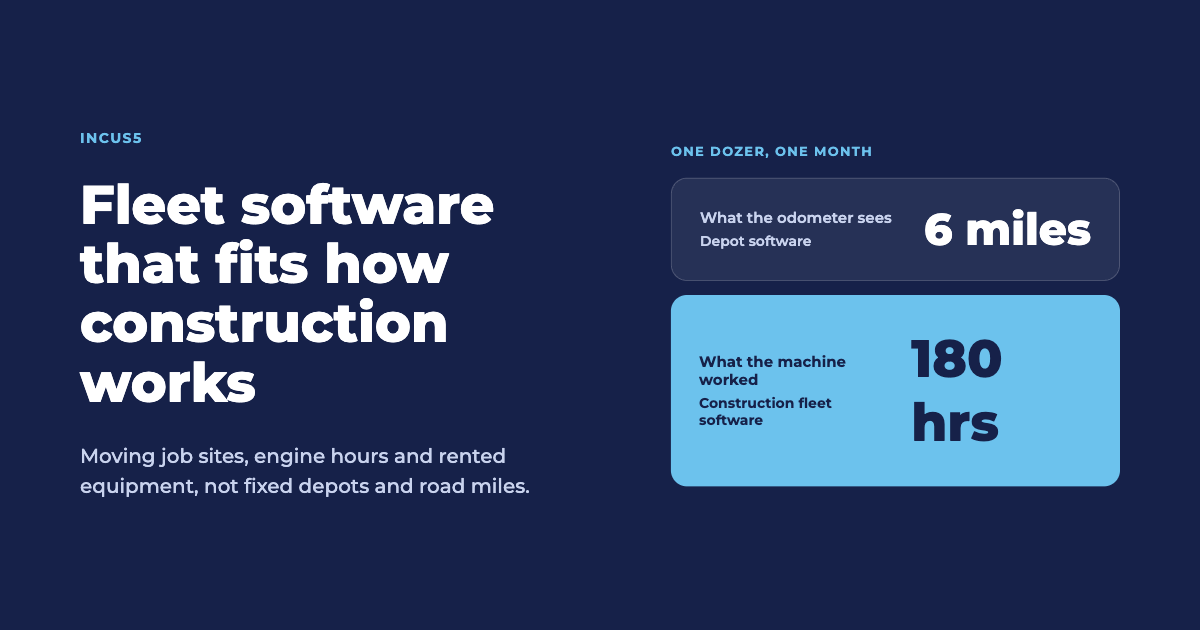
Road miles measure over-the-road wear. Construction equipment wears by engine hours. A dozer that moved six miles this month could have run 180 hours. The odometer is useless.
Service intervals are hours-based. Oil change every 250 hours, PM every 1,000. Miss the interval and you find out when the machine stops. Catch it three weeks early tracking calendar days and you waste service capacity.
Fleet software built for miles ignores service forecasting or makes you enter hours by hand. Construction fleet software reads engine hours from telematics, pulls hour-based PM schedules from the ERP, and flags machines approaching service before the interval passes.
Attachments are worse. A hydraulic breaker, a grapple, a compactor: no telematics, no hour meter, but a service schedule that matters. You track it with the machine it attaches to, manually, or not at all.
Company view, broken by job
Project software starts at the job. Fleet software starts at the company and breaks down by job. The distinction decides what questions you can answer.
Starting from the project, you can tell whether Broad Street has what it needs. You cannot tell whether the company has an excavator idle in Akron that should be at Broad Street. You cannot see that three jobs rent the same machine while two owned units sit unused. You cannot move equipment between sites, because the system shows no picture to move from.
A contractor running ten sites needs to know what is where, what is working, what is idle. Then break it down: utilization by job, service by region, rental spend by project. Fleet first, then site. Project software runs the other direction and stops at the boundary.
What solving this looks like
Treat every data source as an input. Read the telematics you pay for: Cat Product Link, JDLink, Komtrax, whatever the OEM installed. Read aftermarket trackers. Pull rental agreements from the ERP so rented units show next to owned ones. Include equipment with no telematics, tracked by job assignment and manual entry.
Track by engine hours. Forecast service by hours and usage, not calendar days. Flag a machine approaching PM while there is time to schedule it, and tie the alert to the service system so the work order gets created without a call.
Start from the company view. Show the fleet: every asset, owned and rented, tracked and untracked. Break it down by site, by class, by utilization. Make it possible to see what is idle in one place and needed in another.
Incus5 unifies telematics, ERP and operational records into one fleet view for contractors running equipment across multiple sites. Owned and rented together, engine hours and service intervals tracked across every OEM, no hardware to install. The company-level view breaks down by job, so an equipment manager sees what is where and a controller reconciles rental charges against utilization without opening four portals. We read the data you already have, including machines with nothing on them, and show physical, time and dollar utilization together.
Construction fleet management software is not generic fleet software pointed at a different industry. It is built for hours-based wear, sites that move, rented units with their own data sources, and a company fleet broken into projects.
Key takeaways
- Construction equipment wears by engine hours, not miles, so service intervals and PM forecasting track hours or miss deadlines entirely.
- Job sites are temporary locations equipment moves between weekly; depot software that assumes a fixed yard misses how construction operates.
- Rented equipment makes up half of most sites, and software showing only owned assets ignores the invoice reconciliation problem.
- Starting from company-level and breaking by job lets you move equipment between sites; starting from project level never gets you there.
Frequently asked questions
Can project management software handle fleet tracking for construction?
Project management software starts at the job and tracks what is assigned to it. It cannot show what is idle at a different site and available to move, because it does not build a company-level fleet view. Fleet management software starts from every asset the company owns or rents and breaks it down by project, which is the direction you need to move equipment between jobs based on utilization.
How do you track construction equipment that has no telematics installed?
Track it by job assignment, manual hour entry, and operational records like rental agreements and fuel delivery tickets. Attachments, small equipment and older machines often have no telematics, but they still belong in the fleet picture. Software that requires a GPS signal on every asset is unusable for construction, where a third of the equipment sends nothing.
What is the difference between engine hours and odometer miles for fleet management?
Engine hours measure how long the machine has been running and doing work; odometer miles measure how far it traveled. Construction equipment wears by hours, not miles. A dozer might move six miles in a month and run 180 hours. Service intervals are hours-based, so tracking miles means you miss PM deadlines or perform service too early.
Why does construction need a company-level fleet view instead of job-level tracking?
A company-level view shows every asset across all jobs, so you can identify machines sitting idle at one site while another rents the same equipment. Job-level tracking only shows what is on that project; it cannot answer whether you should move equipment between sites or whether rental spend is high because owned equipment is underutilized elsewhere.